
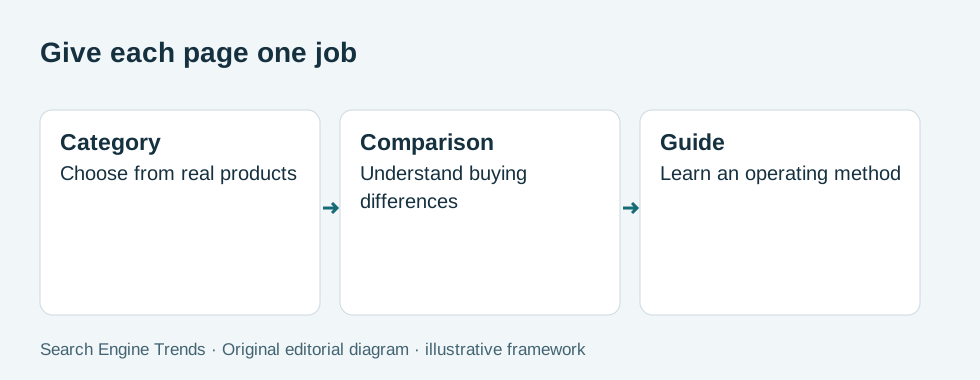
Give a category page a clear product-selection job and give a guide an explanation job. Map workshop-supply queries to those distinct purposes, keep the category focused on available products, and link to supporting guidance where it resolves a buying question.

In this article
Category page SEO works better when a page has one clear selection task. A buyer looking for workshop storage bins needs products and comparison details. Someone asking how to organize small parts needs a method. Use a category for the first task and a guide for the second, then connect them where the relationship helps.
The useful boundary depends on the assortment, question and buying journey. If a category promises service in a particular area, that statement needs real offer evidence. The fictional workshop catalog here assumes no city-specific delivery coverage or selection requirement.
Define the category’s selection boundary
A hypothetical workshop supplier can group stackable parts bins separately from wall-mounted organisers. State the defining characteristics and provide filters that describe actual stock. Avoid turning one category into a catch-all for every workshop organization query.
Google’s ecommerce navigation guidance explains the importance of linked site structure. A useful category should be reachable through understandable navigation, not exist only in a sitemap.
Map questions to pages before writing copy
Collect product selection questions from support records and search observations. Separate dimensions, mounting and load information that belongs near products from a broader planning method that deserves its own guide.
Selection task
What can the customer choose on this category? Define the product family and the important differences among available items. Remove products that do not belong or give them a separate navigation route.
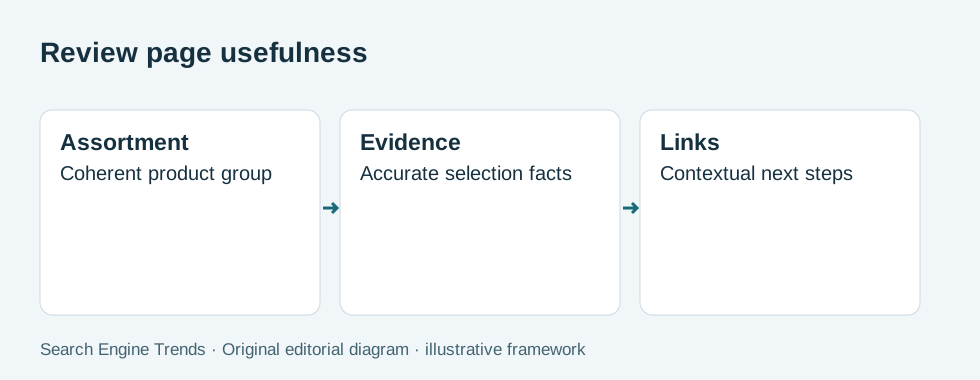
Check against a category scope and product assignment list. If unrelated products make the selection criteria contradictory, review the affected case before continuing. A category earns its purpose through a coherent assortment rather than a paragraph containing many keywords.
Guide boundary
Which question needs explanation beyond the product list? Assign setup methods and broader planning questions to supporting guides. Keep a concise contextual link where a shopper is likely to need that explanation.
Check against a query-to-page intent map. If the category and guide reproduce the same answer, review the affected case before continuing. Distinct page jobs reduce confusion for readers and make internal links useful rather than repetitive.
Product evidence
Do shared category claims apply to every listed item? Check dimensions, mounting requirements and included parts at product level. Qualify category statements when the assortment contains meaningful differences.
Check against a reviewed category claim list. If a general claim incorrectly includes a product with different limits, review the affected case before continuing. Product families can share a use case without sharing every specification or installation requirement.
Compare three hypothetical query groups
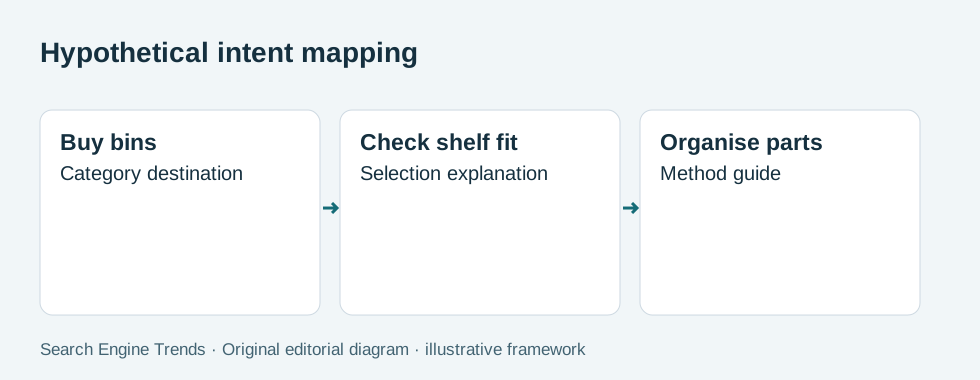
These invented query examples show intent mapping, not measured search demand or rankings.
| Illustrative question | Best page job | Next useful link |
|---|---|---|
| Buy stackable parts bins | Product category | Size comparison |
| Which bin fits a shelf? | Selection guidance | Compatible products |
| How to organize small parts | Educational guide | Relevant storage category |
A category introduction can explain its selection criteria without reproducing the whole guide. Put the product list and meaningful comparison information within easy reach. A long essay above the grid can delay the very task the category is supposed to support.
Review page access alongside useful content
For workshop products, verify dimensions and included mounting parts against the exact item. Category copy should not imply that every product supports the same load or installation method. Use product-level evidence for those claims and explain differences where they affect the category’s selection process.
Use workshop constraints to choose the category boundary
A small-parts bin and a wall-mounted organiser solve related problems but impose different selection constraints. The first may need to fit a shelf and stack with another bin; the second may need mounting space and suitable fixings. Put those distinctions into category organization rather than making the buyer inspect every product to discover the difference.
For the hypothetical workshop assortment, create a concise comparison that states which dimensions matter. Avoid declaring all listed storage products “universal” or suitable for every workshop. Where capacity or mounting information is missing, identify the product-specific gap and obtain evidence before publishing a broad category promise.
Check the page reached through a direct query
Open the category from a direct URL without using the store navigation first. A reader should understand what is sold, how the products differ and where the supporting explanation lives. Navigation context cannot compensate for an ambiguous heading or a product grid containing unrelated items.
Inspect the no-result state for a meaningful filter. Explain how to clear the selection and return to a useful assortment. Keep that customer interaction separate from the technical decision about whether the filtered URL should be indexed. A useful filter can deserve a good interface without deserving a separate search landing page.
Review the guide's commercial next step
The small-parts organization guide should link to the appropriate category after explaining the method and relevant constraints. Its link should tell the reader what they can compare there. A generic “shop now” link to the homepage loses that relationship. Conversely, the category should link back only where the method helps someone choose; it should not reproduce the full guide above the product list. This preserves distinct page jobs while giving customers a coherent path between explanation and selection.
For the workshop bin category, review a product that is temporarily unavailable. Keep the specification visible where the product remains relevant, but communicate its actual availability and useful alternatives. Avoid rewriting the category to claim a full range if important sizes cannot be supplied. A guide that links to the unavailable item may need an updated destination or an availability note. This is a content maintenance issue as well as a stock issue: educational readers should not be sent through a confident recommendation to a purchase path that no longer works.
Category launch checklist
- State the product group and its selection boundary.
- Show meaningful stock and filters.
- Put buying facts beside the products they describe.
- Link to one relevant explanation rather than duplicating it.
- Check navigation, canonical and rendered status.
- Review query intent without inventing local demand.
FAQ
How much text should a category contain?
Enough to explain selection, important differences and the next step. Length should follow the buying task; a fixed word target cannot establish category usefulness.
Can a guide and category target related subjects?
Yes, when they satisfy distinct intents. Link between them with descriptive anchors and avoid making both pages compete to answer the same broad task.
Does adding a city name create local relevance?
Only when the content has a real local use or service context. A city name by itself does not establish demand, inventory coverage or a physical location.

SEO for Your Online Store
Explore this related DIY Marketing Guide guide to work further on the method. DIY is part of our business group; contents, language and price are shown on its store.
See the English guide